Windows Installation#
This section guides first-time contributors through installing GCBM on Windows.
Before proceeding further, make sure you have the following prerequisites setup:
Prerequisites#
The prerequisites are:
Python 3.7.
Microsoft Access Database Driver.
Visual C++ Redistributable Packages.
Please set up the prerequisites by following the guide here.
Update GCBM Run Script#
Edit run_all.bat and update the Python path to the one used in the
Python installation step, and the platform bit-ness to match your
version of MS Access if needed:
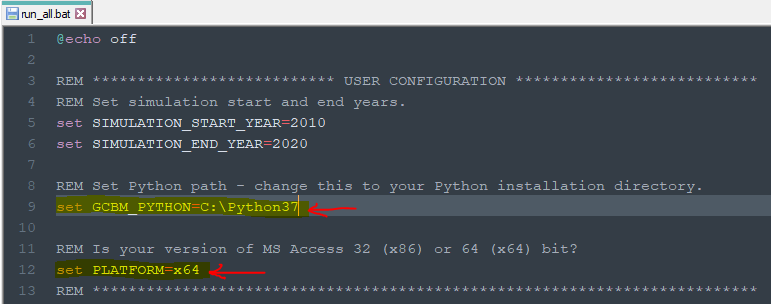
Editing run_all.bat file to update Python path and Platform#
Test GCBM#
Double-click the run_gcbm.bat file to run GCBM – if the installation
steps were performed correctly, the preprocessing tools, GCBM model, and
postprocessing tools should run without any error messages.
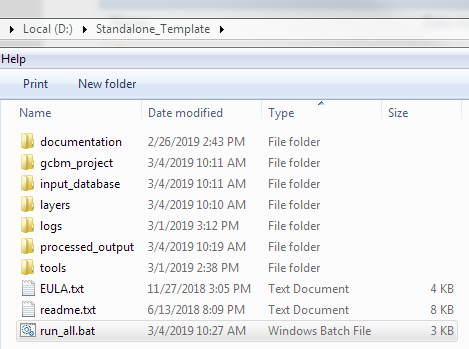
Running the run_gcbm.bat file to execute GCBM#
Viola! We are all done.
GCBM Video Tutorial#
The above steps for installation of GCBM can also be followed along with the video tutorial: